

Scan to order, no app
Guests use the phone browser they already have. Nothing to install from an app store.
QR ordering system
Guests scan the QR code on their table, browse your menu, customise dishes and place the order from their own phone. The table number travels with the order to the kitchen — no app download, no login wall, and no handwritten slip.
Chat on WhatsAppSample Restaurant
3Table 12
Demo city
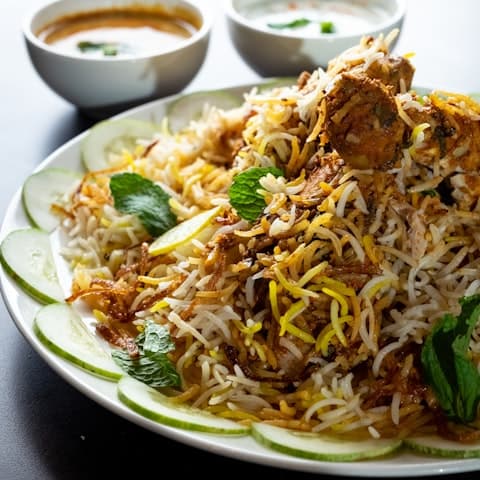
Hyderabadi Chicken Biryani
Dum, saffron, raita
₹349
Add
Veg Dum Biryani
Basmati, fried onions
₹279
Add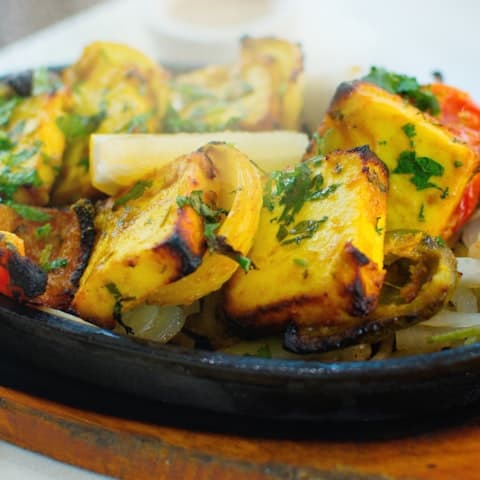
Paneer Tikka
Tandoor, mint chutney
₹260
Add3 items₹758
View cart →
Sample restaurant UI. Demo data — not a live venue.
A QR ordering system lets dine-in guests order for themselves. Each table has its own QR code. Scanning it opens your menu in the phone browser with that table already attached, so the kitchen and the floor staff know where every order belongs.
In NotifyHub Restaurant the order does not stop at the phone. It is sent straight to the kitchen KOT screen as a ticket with the table, items, quantities and notes. Your staff see it move from new to preparing to ready, then serve and close the table.
The menu guests order from is the same QR menu you manage in NotifyHub, so a price change or a sold-out dish shows up on the next scan.
Guests use the phone browser they already have. Nothing to install from an app store.
The table number stays with the order from the scan to the kitchen ticket.
Guests pick items, adjust them and add notes, then review the cart before they place the order.
After checkout the guest can see the status of their order on the phone they ordered from.
Categories such as starters, biryani, mains, breads, desserts and beverages, with veg / non-veg marks, photos and prices.
See which tables are free, which orders are in the kitchen, which plates are ready and which bills are waiting.
The guest scans the QR code on the table.
They browse the menu, customise items and place the order.
The kitchen receives a live KOT with the table, items and notes.
Staff see when it is ready, serve it and close the table.
Customer ordering is part of the QR + KOT plan (₹9,999 / year) and the Website + QR + KOT plan (₹19,999 / year). The QR Menu plan is a view-only digital menu. There is no commission on customer orders.
Compare all plansFAQ
No. Customers scan the table QR code and order in their phone browser. There is nothing to install.
Each table has its own QR code. The table number is attached when the guest scans and stays on the order all the way to the kitchen ticket.
Yes. Guests can customise items and add notes before placing the order, and the notes appear on the kitchen ticket.
No. NotifyHub handles the guest menu, ordering and kitchen tickets. You can keep billing and settlement on the POS you already use.
No. Plans are a single yearly payment and there is no commission on customer orders.
Back to the restaurant QR ordering and KOT overview.
Get a restaurant website, QR ordering and kitchen KOT in one simple setup.
Restaurant website · QR ordering · Kitchen KOT